Oracle Solutions We believe in delivering tangible results for our customers in a cost-effective manner
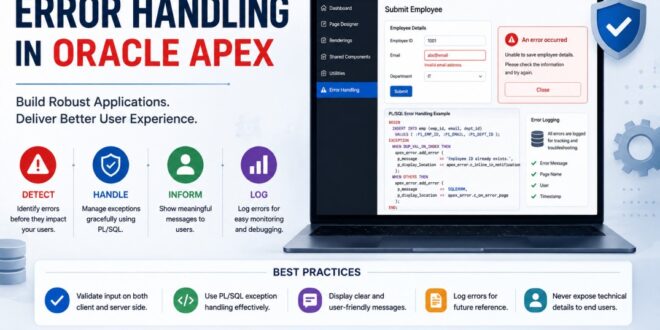
No matter how carefully we design an application, errors are inevitable. Users may enter invalid data, database constraints can be violated, APIs may become unavailable, or unexpected exceptions may occur during execution. The difference between a good Oracle APEX application and a great one is how these errors are handled.
Displaying a message like:
ORA-00001: unique constraint violated
to an end user is neither helpful nor professional. Instead, users should receive clear, meaningful messages that help them understand what went wrong and what they need to do next. In this article, we’ll explore practical techniques for handling errors in Oracle APEX to create secure, user-friendly, and maintainable applications.
Why Error Handling Matters
Effective error handling helps you:
1. Improve user experience
2. Prevent confusion caused by Oracle error codes
3. Protect sensitive database information
4. Simplify application maintenance
5. Reduce support requests
6. Make debugging easier for developers
Think of error handling as a communication bridge between your application and its users.
Types of Errors in Oracle APEX
Generally, you’ll encounter three categories of errors.
1. Validation Errors
These occur before data is processed.
Examples include:
Required field missing
Invalid email address
Password confirmation mismatch
Invalid date
Value outside an acceptable range
Example:
Salary cannot be negative.
instead of
ORA-01438
2. Database Errors
These originate from Oracle Database.
Common examples include:
Unique constraint violations
Foreign key violations
Check constraint failures
Invalid numbers
No data found
Example:
ORA-00001
can be transformed into Employee ID already exists. which is much easier for users to understand.
3. Application Errors
These are generated by your own PL/SQL code.
Example:
raise_application_error(
-20001,
‘Vehicle is already assigned to another schedule.’
);
This is much more meaningful than allowing an unexpected exception to propagate.
Use Validations Whenever Possible
Many errors can be prevented before they reach the database.
Oracle APEX provides built-in validations such as:
Item Required
Value Required
SQL Expression
PL/SQL Function
Regular Expression
Instead of waiting for the database to reject invalid input, validate it on the page.
For example:
Departure Date cannot be earlier than today. This provides immediate feedback to users.
Raise Meaningful Application Errors
Instead of relying solely on database exceptions, create your own business-rule validations.
Example:
IF l_available_seats = 0 THEN
raise_application_error(
-20001,
‘No seats are available for this schedule.’
);
END IF;
This makes the application much easier to understand.
Handle Exceptions Properly
Avoid writing PL/SQL blocks without exception handling.
Instead of:
SELECT employee_name
INTO l_name
FROM employees
WHERE employee_id = :P10_EMP_ID;
Write:
BEGIN
SELECT employee_name
INTO l_name
FROM employees
WHERE employee_id = :P10_EMP_ID;
EXCEPTION
WHEN NO_DATA_FOUND THEN
raise_application_error(
-20002,
‘Employee not found.’
);
END;
Your users will appreciate clear messages.
Customize Error Messages
Oracle APEX allows you to intercept database errors and replace them with friendly messages.
Instead of showing
ORA-02291
display
The selected customer does not exist.
Instead of
ORA-00001
display
This record already exists. This makes your application look much more professional.
Log Errors for Troubleshooting
While users should receive friendly messages, developers still need detailed error information.
Consider logging:
Error code
Error message
Page number
User
Timestamp
Process name
Stack trace
A simple logging table can save hours of debugging later.
Example:
ERROR_LOG
LOG_ID
APP_USER
PAGE_ID
ERROR_CODE
ERROR_MESSAGE
CREATED_ON
Use APEX_ERROR Package
Oracle APEX provides the APEX_ERROR package to centralize error handling across your application.
Using a custom error handling function, you can:
Replace Oracle error messages
Hide internal database details
Display friendly messages
Log errors automatically
Control where messages appear
This approach keeps error handling consistent throughout the application. Avoid Revealing Internal Information
Never expose:
Table names
Column names
SQL statements
Package names
Stack traces
For example, avoid displaying:
ORA-06512 at SCH_PKG_SCHEDULE line 421
Instead, display:
An unexpected error occurred while processing your request. Please contact the administrator if the issue persists.
This improves both security and professionalism. Display Success Messages Too. Error handling is only part of user communication.
After successful operations, provide confirmation messages such as:
Record saved successfully.
Employee updated successfully.
Schedule created successfully.
File uploaded successfully.
Clear feedback reassures users that their actions were completed.
Common Mistakes to Avoid
Displaying raw Oracle error messages to users
Ignoring exception handling in PL/SQL
Catching WHEN OTHERS without logging the error
Using vague messages like “Something went wrong”
Not validating input before processing
Revealing database structure through error messages
Failing to log unexpected exceptions
Best Practices Checklist
✔ Validate user input before processing.
✔ Use raise_application_error for business rules.
✔ Replace Oracle error messages with user-friendly text.
✔ Log unexpected exceptions for developers.
✔ Use the APEX_ERROR package for centralized error handling.
✔ Protect sensitive database information.
✔ Display clear success and failure messages.
✔ Test both expected and unexpected error scenarios.
Error handling is more than just catching exceptions—it’s about creating a reliable and user-friendly experience. Oracle APEX provides powerful tools such as validations, raise_application_error, exception handling, and the APEX_ERROR package to help developers build applications that communicate effectively with users while keeping technical details secure.
By investing time in proper error handling, you not only improve the quality of your applications but also reduce support efforts, simplify debugging, and build greater confidence among your users. A well-handled error can leave a better impression than an application that never encounters one.