Oracle Solutions We believe in delivering tangible results for our customers in a cost-effective manner

Performance is one of those things that users rarely notice when it’s good, but immediately notice when it’s bad. A page that loads in one second feels smooth and professional. The same page taking ten seconds often makes users think the application is broken, even if it eventually works.
During my journey as an Oracle APEX Developer, I have learned that improving performance is not always about using advanced technologies or expensive infrastructure. Most of the time, it comes down to writing better SQL, fetching only the required data, and designing pages intelligently.
In this blog, I want to share some practical Oracle APEX performance optimization techniques that have made a noticeable difference in my own applications. These are simple practices that every Oracle APEX developer can implement.
1. Retrieve Only the Required Columns
One of the most common mistakes developers make is using:
SELECT *
FROM OEHR_CUSTOMERS
While it may seem convenient, the database retrieves every column, even those that are never displayed on the screen.
Instead, select only the columns that are actually needed.
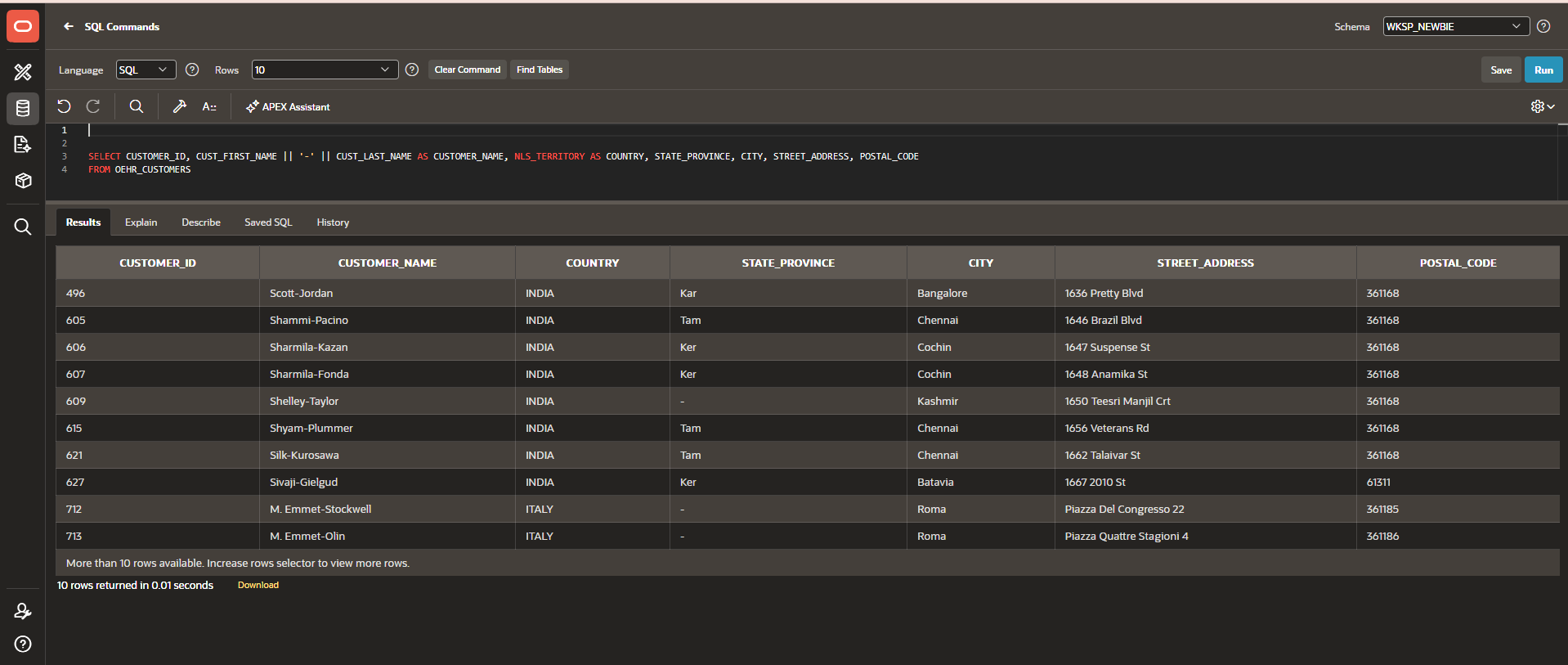
Fetching fewer columns reduces the amount of data transferred between the database and Oracle APEX, resulting in faster page rendering and lower memory usage.
Why it matters
• Less data transferred
• Reduced database workload
• Faster report rendering
• Better scalability
2. Filter Data Using WHERE Conditions
Another common performance issue is retrieving an entire table and then expecting users to search within thousands of records.
Instead, always filter data at the database level.
Example:
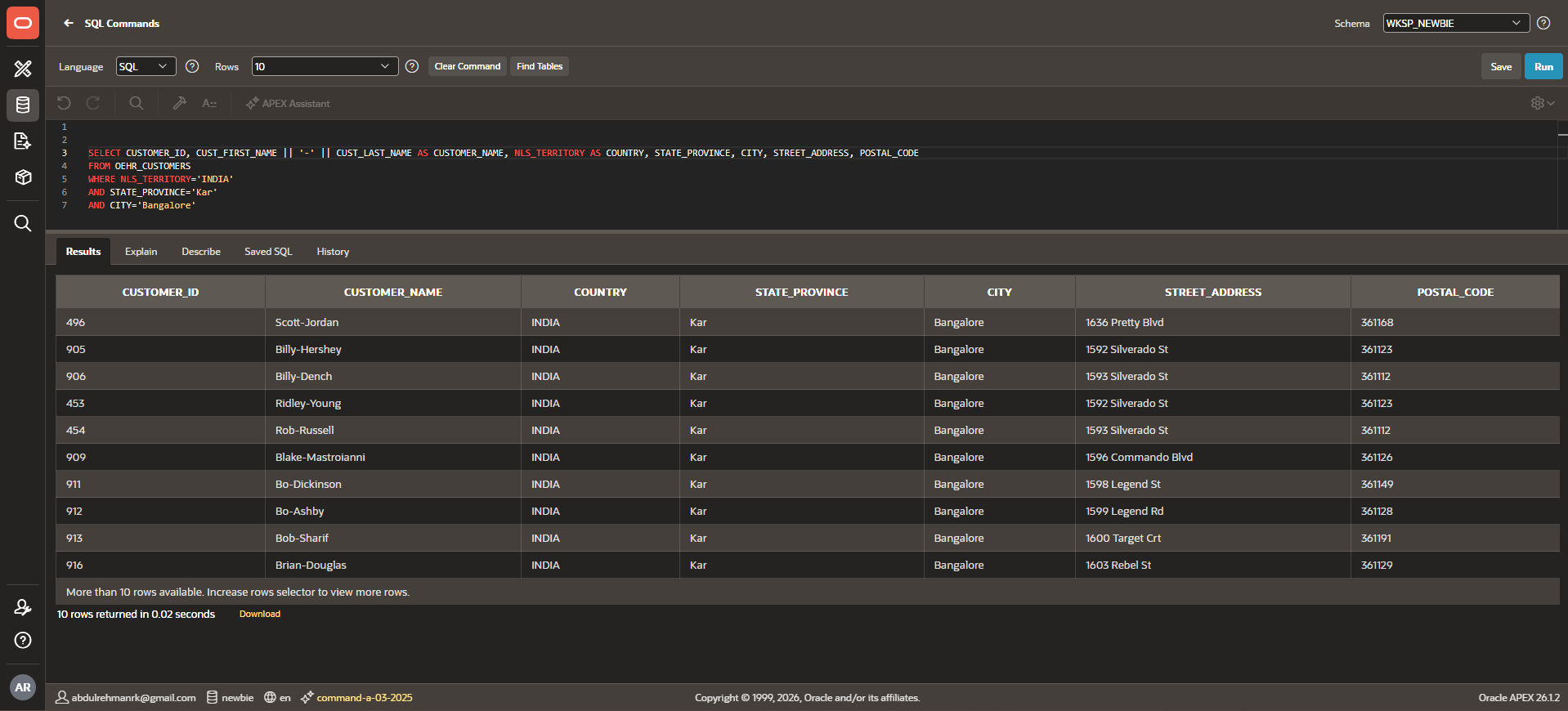
Using multiple conditions allows Oracle to retrieve only the records that are actually required.This significantly reduces execution time, especially for large tables.
Use:
- WHERE
- AND
- BETWEEN
- IN
- EXISTS
whenever applicable to minimize unnecessary data retrieval.
3. Use Database Indexes
Indexes are one of the simplest and most effective ways to improve query performance.Imagine searching for a person’s name in a phone directory.Without an index, you would check every page one by one.With an index, you can jump directly to the correct section.Databases work in a very similar way.
For columns that are frequently used in:
- WHERE
- JOIN
- ORDER BY
- GROUP BY
creating indexes can dramatically reduce query execution time.
Example:
CREATE INDEX IDX_OEHR_CUSTOMERS ON
OEHR_CUSTOMERS(CUSTOMER_ID, CUST_FIRST_NAME,CUST_LAST_NAME);
However, indexes should be created carefully because excessive indexes can slow down INSERT, UPDATE, and DELETE operations.
Use indexes wisely
Create indexes on columns that are searched frequently, not on every column.
4. Use Lazy Loading
Not every region on a page needs to load immediately.
Suppose a dashboard contains:
• Sales Report
• Attendance Report
• Revenue Chart
• Vehicle Status
• Notifications
If every region loads during page initialization, users must wait for all queries to finish. Oracle APEX provides Lazy Loading, allowing selected regions to load only when they become visible or when the user interacts with them.This improves the initial page load time and creates a smoother user experience.
Benefits
• Faster initial page load
• Better user experience
• Reduced server load
5. Simplify Complex Queries with Common Table Expressions (CTEs)
As applications grow, SQL queries often become long and difficult to maintain.
Instead of repeating the same logic multiple times, Oracle allows developers to use Common Table Expressions (CTEs) with the WITH clause.
Example:
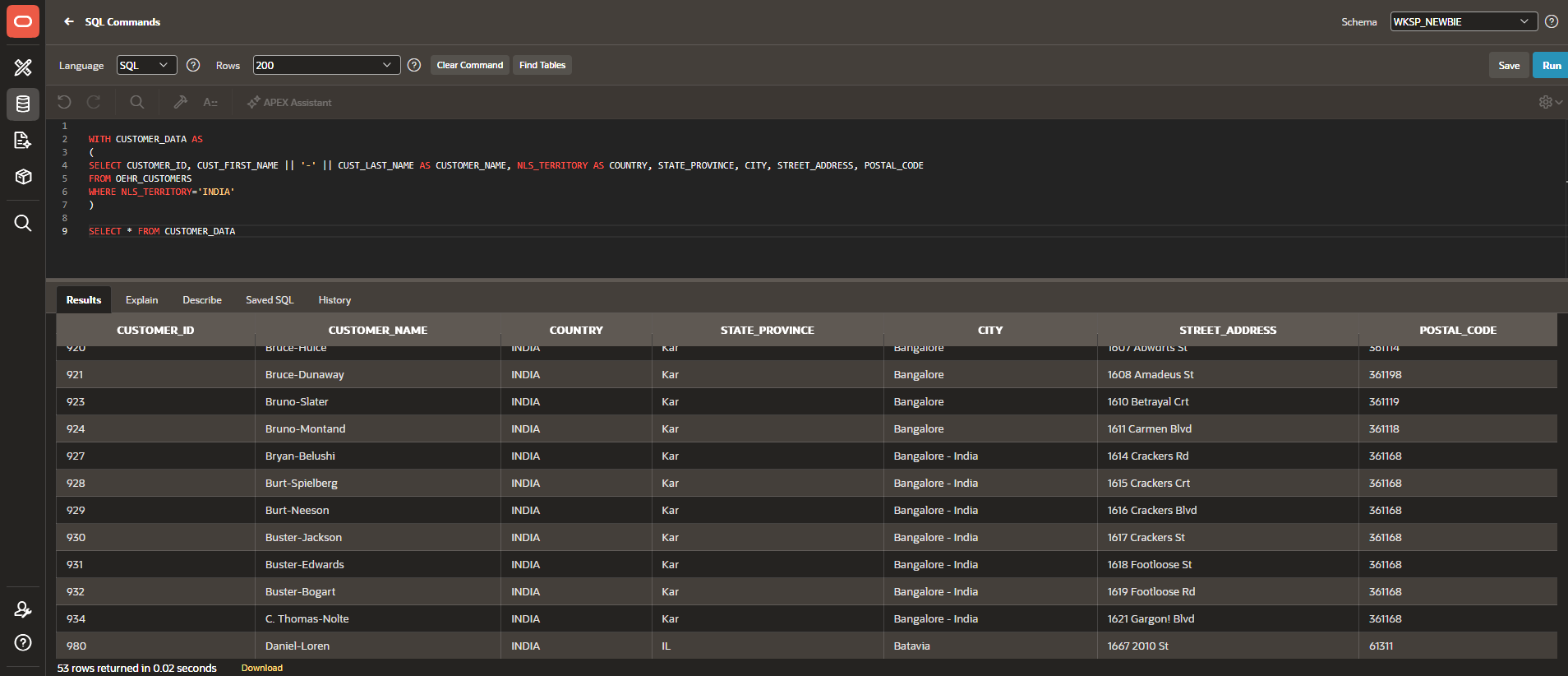
CTEs make SQL queries easier to read, organize, and maintain. They can also improve performance in certain scenarios by avoiding repeated calculations or simplifying complex query logic.
Note: CTEs are not a guaranteed performance optimization in every case. Their biggest advantage is improving readability and maintainability, while performance depends on the execution plan.
Benefits
• Cleaner SQL
• Easier maintenance
• Better readability
• Reduced repeated logic
6. Limit Rows with Pagination
Showing thousands of rows on a single page increases:
• Query execution time
• Browser rendering time
• Memory consumption
Instead, use Oracle APEX pagination.
For example:
Display only:
• 20 rows
• 50 rows
• 100 rows
per page.
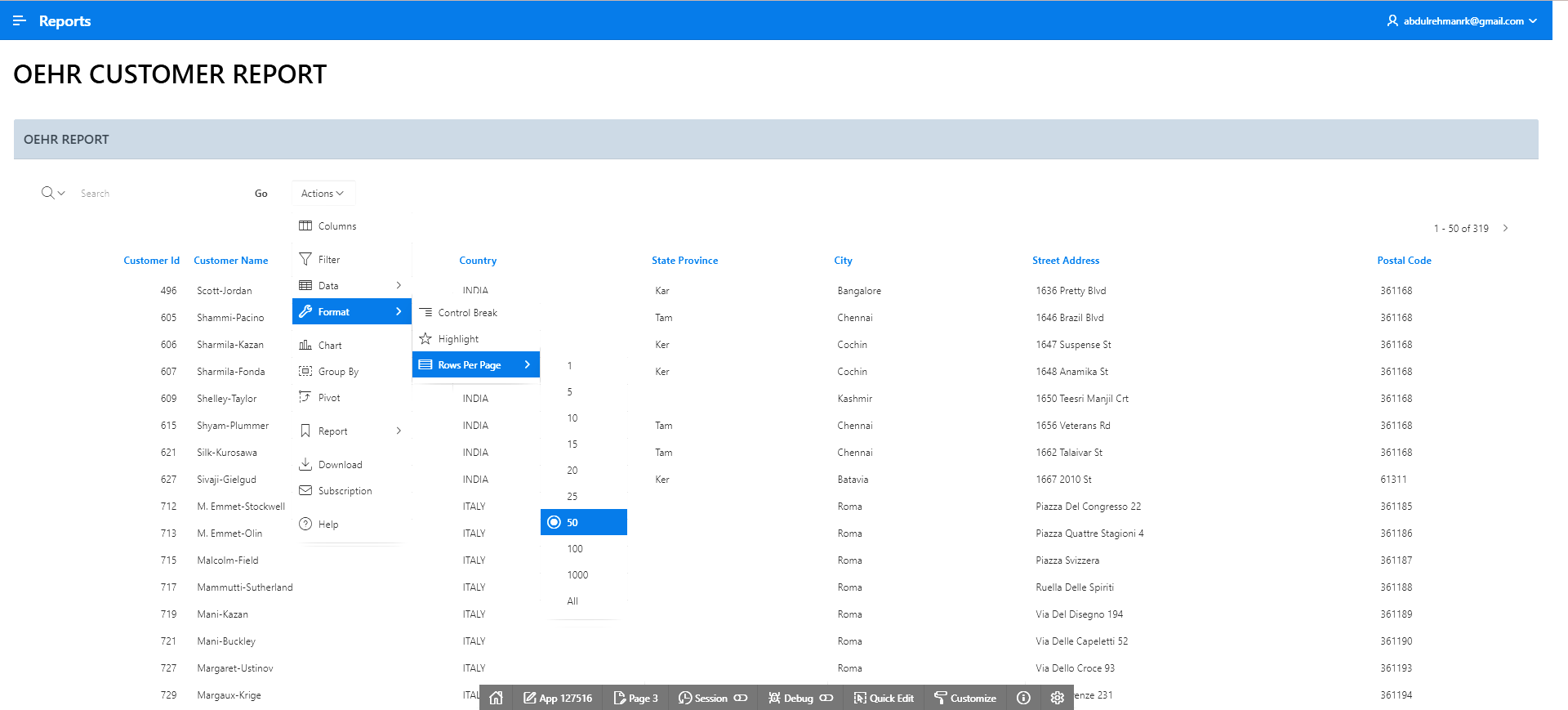
Users can navigate through additional pages only when needed. Pagination improves both backend performance and frontend responsiveness.
Benefits
• Faster page loading
• Improved user experience
• Lower browser memory usage
• Reduced network traffic
Performance optimization is not about applying one big solution—it is about making many small, thoughtful improvements that work together. Simple practices like selecting only the required columns, filtering data effectively, using indexes where appropriate, enabling lazy loading, organizing SQL with CTEs, and limiting rows through pagination can significantly improve the responsiveness of Oracle APEX applications.
From my own experience working with Oracle APEX, I have found that these techniques not only make applications faster but also make them easier to maintain and scale as the amount of data grows. A well-optimized application creates a better experience for users and reduces the workload on the database.
If you’re starting your Oracle APEX journey, begin by adopting these habits in every new page and report you build. Over time, these small improvements can have a big impact on the overall performance of your applications.