Oracle Solutions We believe in delivering tangible results for our customers in a cost-effective manner
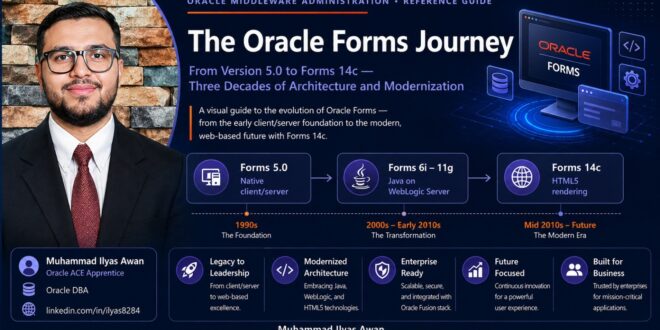
The Oracle Forms Journey
(From Version 5.0 to Forms 14c)
Three Decades of Architecture, Survival, and Modernization
Part I — The Client/Server Era
A note on the screens below — Every form image in this document is an illustrative recreation built for this guide, not an authentic Oracle product screenshot.
1.1 Where It Started: Forms 4.5 and Developer/2000
Forms 4.5 shipped in the mid-1990s as part of Oracle’s Developer/2000 tool suite. It was a true two-tier client-server product: the Forms Runtime executable ran directly on the end user’s Windows PC and connected straight to the database over SQL*Net. There was no middle tier and no browser the compiled .fmx module and a full Oracle Client had to be installed on every desktop that ran the application.
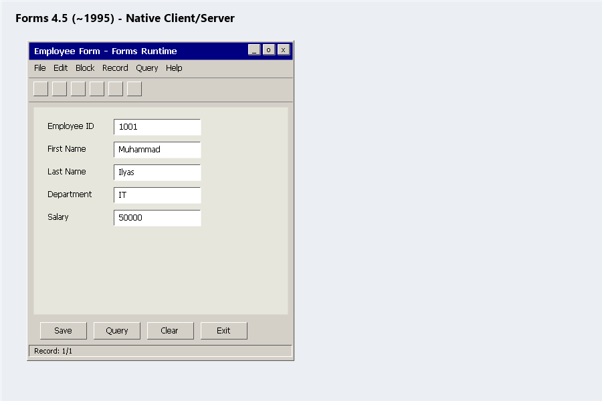
Figure 1 — Forms 4.5, native client/server.
1.2 Forms 5.0 — Maturing the Model
Forms 5.0 followed in 1997, refining the same client-server architecture with a more capable PL/SQL engine and builder. Deployment was still fundamentally a desktop install: no application server sat between the Forms Runtime and the database, and every rollout meant touching every client machine.
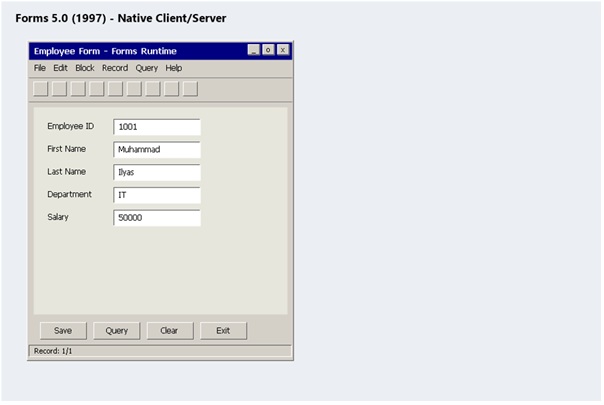
Figure 2 — Forms 5.0, native client/server.
1.3 Forms 6i — Oracle’s “Internet Computing” Release
Around 1999–2000, Oracle rebranded much of its product line under an “internet computing” theme, adding the now-familiar “i” suffix. Forms 6i is where that promise had real substance: a server-side Forms Server and later the Forms Listener Servlet let a compiled .fmx module run on a middle-tier machine and stream its user interface to a browser through Oracle’s JInitiator Java plug-in. Critically, the .fmb/.fmx format and the PL/SQL programming model that developers already knew did not change at all.
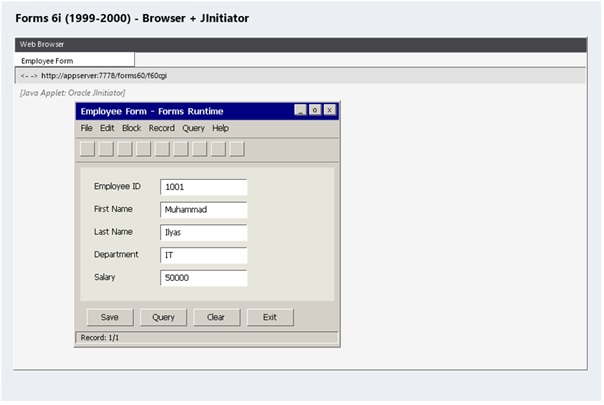
Figure 3 — Forms 6i, browser delivery via Oracle JInitiator.
1.4 Why 6i Outlived Every Roadmap
Forms 6i became one of the most widely deployed enterprise application runtimes Oracle ever shipped, and organizations kept running it for years after Oracle moved on:
- An enormous base of custom and packaged applications including large parts of Oracle E-Business Suite was built on it
- The applications simply worked, which removed most of the business pressure to migrate
- Oracle extended and re-extended its support windows for 6i multiple times as the installed base proved reluctant to move
- Even after desupport, some organizations still run 6i today on aging Windows and Oracle Client stacks, purely because rewriting the application is a bigger project than keeping the lights on
Reality check — If you are one of those shops, treat this as an active risk, not a stable state. Unsupported middleware on an unsupported OS is a single hardware failure away from an outage nobody can fix with a support call.
Part II — The Shift to Java and the Web
2.1 Forms 9i — Full Migration to Java
Forms 9i arrived in 2002 as part of Oracle9i Application Server (9iAS) and marked the real architectural break from the 4.5/5.0/6i lineage: there was no native client-server runtime option at all. Forms Services now ran entirely as Java processes inside OC4J (Oracle Containers for J2EE). JInitiator still bridged the browser on the client side, but the server-side engine had been completely rewritten in Java.
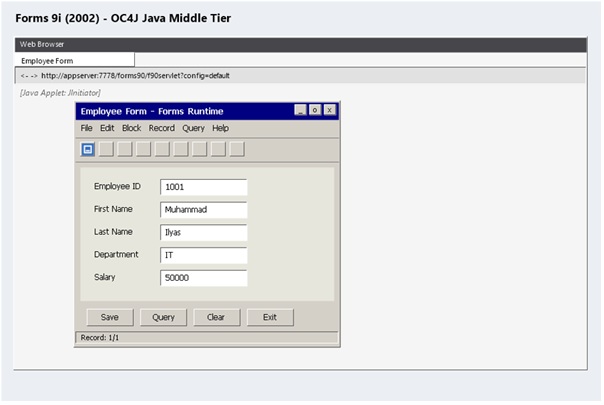
Figure 4 — Forms 9i, fully Java-based middle tier on OC4J.
2.2 Forms 10g — Maturing on OracleAS
Forms 10g (10.1.2, roughly 2003–2005) shipped as part of Oracle Application Server 10g. It was mostly a refinement of the 9i architecture rather than a rebuild, and because 9i had a comparatively short life before 10g replaced it, 10g became the practical migration target for most organizations finally moving off 6i.
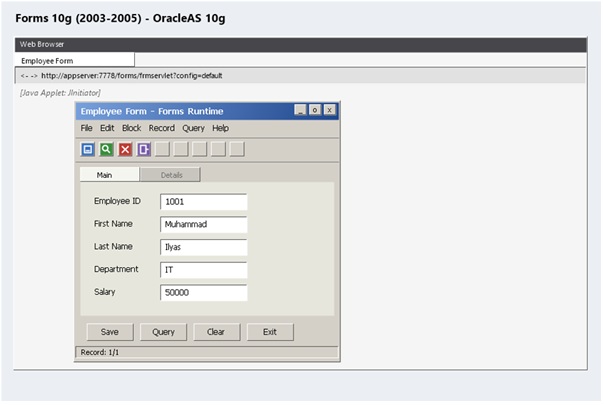
Figure 5 — Forms 10g on Oracle Application Server 10g.
2.3 What Changed Architecturally
The two-tier model of the 4.5–6i era and the three-tier model that replaced it look like this:
Two-tier (Forms 4.5 – 6i, native runtime)
Windows Client (Forms Runtime + Oracle Client) → SQL*Net → Oracle Database
Three-tier (Forms 6i web deployment onward)
Browser → HTTP → Forms Services (middle tier) → JDBC/OCI → Oracle Database
Everything from 9i onward is a variation on that three-tier shape, what keeps changing underneath Forms Services is the application server it runs on.
Part III — The WebLogic Era
3.1 Forms 11g — Moving to Oracle WebLogic Server
Starting around 2009 with the 11.1.1.x releases, and continuing through 11.1.2.x, Oracle Fusion Middleware 11g moved the Forms middle tier off OC4J/OracleAS and onto Oracle WebLogic Server the same application server used across SOA, ADF, and the rest of the Fusion Middleware family. Developers kept the same Forms Builder, the same .fmb/.fmx modules, and the same PL/SQL model; only the infrastructure underneath changed.
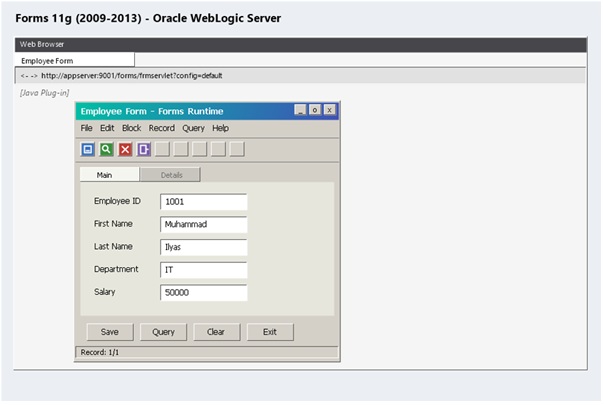
Figure 6 — Forms 11g on Oracle WebLogic Server.
3.2 Forms 12c — Fusion Middleware Infrastructure and RCU
Forms 12c (12.1.3, then 12.2.1.x through roughly 2014–2016) continued on WebLogic Server, now 12c, but adopted the heavier Fusion Middleware Infrastructure domain model: a Repository Creation Utility (RCU) creates database schemas for the domain, and a Configuration Wizard builds the WebLogic domain against them. This is the exact mechanics covered in the companion installation guide in this series.
Forms 12c also changed how the Java client itself reaches the user’s desktop. As browsers began dropping the NPAPI plug-in model that embedded Java applets depended on, Oracle introduced launch via the Java Network Launch Protocol (JNLP): instead of an applet running inside the browser page, clicking the Forms link downloads a small .jnlp file, and Java Web Start reads it to fetch and run the Forms Java client as its own window, outside the browser entirely. The same compiled .fmx module runs either way JNLP only changes how the Java client gets started, not what it renders.
JNLP in one line — A .jnlp file is a small XML manifest: which JAR files to fetch, which main class to run, and which server to connect back to. Java Web Start uses it to launch the Forms client with no browser plug-in involved.
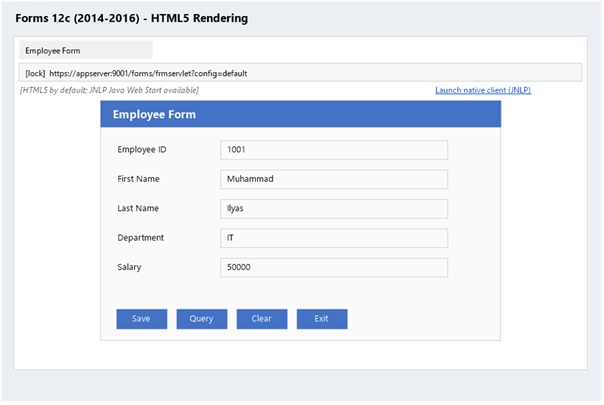
Figure 7 — Forms 12c, HTML5 rendering by default, with Java Web Start (JNLP) available as the native-client alternative.
3.3 Watching the Widgets Evolve: 6i to 11g
The screenshots above focus on the wrapper around the form. What actually changed on the form itself, release to release, was more incremental: a classic List of Values (LOV) popup got the same treatment across versions, while the surrounding toolbar, tabs, and buttons picked up Oracle’s newer look-and-feel options and, eventually, a different browser-side plug-in.
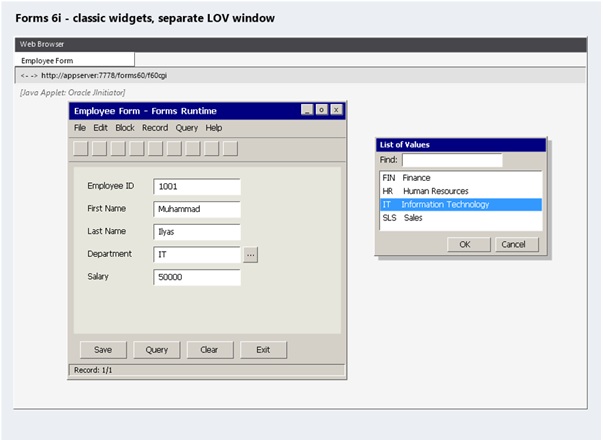
Figure 9 — Forms 6i: classic beveled widgets, plain gray toolbar, LOV rendered as a separate popup window.
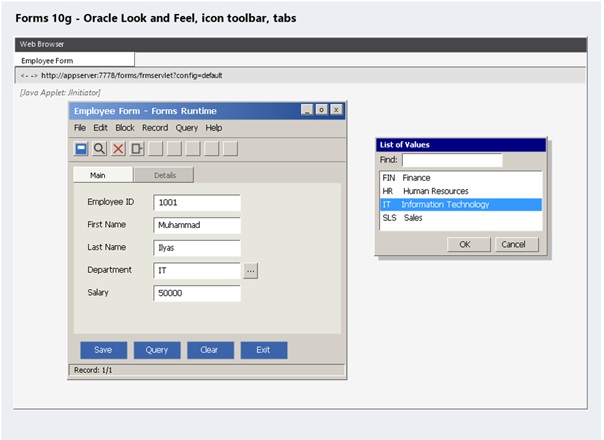
Figure 10 — Forms 10g: Oracle Look and Feel gives the title bar a gradient, the toolbar gains real icons, and a tab canvas separates Main/Details.
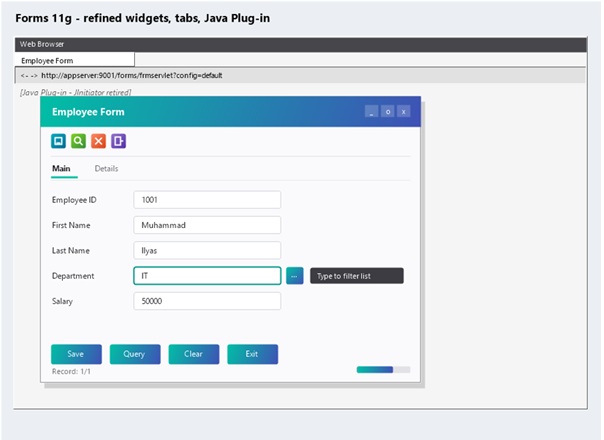
Figure 11 — Forms 11g: the same refined widgets and tabs, now on Oracle WebLogic Server, with the standard Java Plug-in in place of the retired JInitiator.
3.4 What Stayed the Same for Developers
Despite every middle-tier rewrite from 6i onward, the actual development experience has been remarkably stable. A form built against 6i can often be recompiled and run on 12c or 14c with only modest changes the triggers, the PL/SQL, the .fmb structure are largely the same skill set 25 years later. That stability is exactly why so many organizations chose to keep upgrading the platform underneath their Forms applications instead of rewriting them outright.
Part IV — Forms Today
4.1 Forms 14c — The Current Long-Term Release
Forms 14c (14.1.2.0, released around 2020) runs on WebLogic Server 14c and is the release Oracle currently points customers to for staying on a supported platform. It continues the HTML5-first rendering approach that finally removed the need for any Java browser plug-in on the client JInitiator and the later Sun/Oracle Java plug-in are both gone by this point and it supports newer JDKs along with stronger TLS and security defaults.
The JNLP-based launch introduced in 12c is still available in 14c for organizations that need the full native Java client rather than the HTML5 renderer the same either/or choice carried forward: a lightweight HTML5 page by default, or a .jnlp download and Java Web Start for the cases that still call for it.
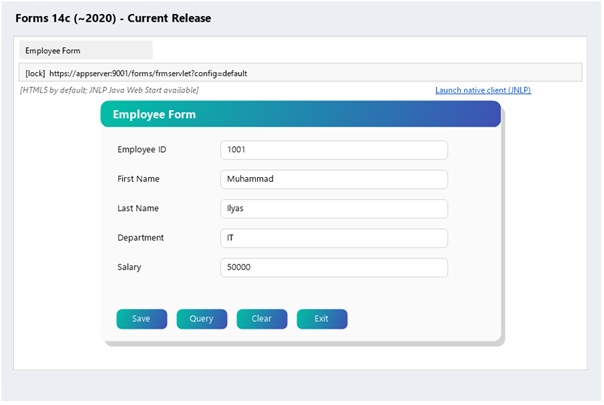
Figure 8 — Forms 14c, the current long-term release, still offering the same HTML5-or-JNLP choice as 12c.
4.2 Forms in a Cloud and Container World
A Forms 12c or 14c domain runs inside a VM or a container the same way any other WebLogic domain does, so lifting a Forms tier onto a cloud IaaS platform is usually straightforward. The real constraint is almost never the middle tier, it is the application’s PL/SQL logic and its coupling to a specific database, which move (or don’t) independently of where WebLogic itself happens to run.
4.3 Forms vs. Oracle APEX — Two Modernization Paths
Forms and Oracle APEX solve related but different problems against the same Oracle Database:
|
|
Oracle Forms |
Oracle APEX |
|
Best for |
Keeping existing .fmb applications running on a supported, browser-delivered stack |
Building new browser-native, low-code applications |
|
Runtime |
Oracle WebLogic Server (Fusion Middleware Infrastructure) |
Oracle REST Data Services (ORDS) |
|
Migration effort |
Low — upgrade the platform, keep the application |
High — the application is effectively rebuilt |
In practice, many organizations run both against the same database: Forms keeps legacy modules alive while APEX becomes the destination for whatever gets rebuilt.
Part V — Practical Guidance
5.1 Should You Upgrade, or Should You Modernize?
- If the application is stable, well used, and the rewrite cost clearly exceeds the upgrade cost, upgrade the Forms platform and move on
- If the application is already due for a UX overhaul, or the database itself is being consolidated that is the natural point to evaluate rebuilding the highest-value modules in Oracle APEX
- A hybrid approach, Forms and APEX running side by side against the same schema during a phased migration is common and often the least risky path
5.2 A Realistic Upgrade Path
Most successful modernizations skip versions rather than hopping through every release in order, since 9i, 10g, and 11g are all past their supported life and offer no destination value on their own:
Forms 6i → Forms 12c or 14c directly → selectively rebuild the highest-value modules in Oracle APEX
Support note — Exact end-of-support dates change over time. Check the current Oracle Lifetime Support Policy document on My Oracle Support for the Forms version and database combination you are planning around before committing to a target release.
5.3 Where This Fits in This Series
Forms and APEX can coexist against the same Oracle Database 19c instance built earlier in this series whether that database runs on a physical Windows Server or inside a VirtualBox lab VM. The Forms 12c installation guide covers the WebLogic domain mechanics in full; the ORDS and APEX guides cover the modernization destination for whatever you eventually decide to rebuild.
Every Forms release since 6i has changed the middle tier and left the developer experience almost untouched. That is the entire reason this platform is still running production systems three decades after Forms 4.5 shipped.
Complete Version Timeline
Treat the release years and status below as approximate and directional — always verify exact dates and current support status against the Oracle Lifetime Support Policy on My Oracle Support before making a decision.
|
Version |
Approx. Release |
Underlying App Server |
Deployment Model |
Status Today |
|
Forms 4.5 |
~1995 |
None (native client-server) |
Desktop Forms Runtime + SQL*Net |
Long unsupported |
|
Forms 5.0 |
1997 |
None (native client-server) |
Desktop Forms Runtime + SQL*Net |
Long unsupported |
|
Forms 6i |
1999–2000 |
Oracle Application Server (Forms Listener Servlet) |
Browser + JInitiator, compiled .fmx on server |
Desupported; still runs in some legacy shops |
|
Forms 9i |
2002 |
Oracle9i Application Server (OC4J) |
Browser + JInitiator, fully Java middle tier |
Desupported |
|
Forms 10g |
2003–2005 |
Oracle Application Server 10g (OC4J) |
Browser + Java plug-in |
Desupported |
|
Forms 11g |
2009–2013 |
Oracle WebLogic Server (FMW 11g) |
Browser + Java plug-in |
Desupported |
|
Forms 12c |
2014–2016 |
WebLogic Server 12c (FMW Infrastructure) |
Browser, HTML5-capable |
Supported on select patch levels — check MOS |
|
Forms 14c |
~2020 |
WebLogic Server 14c (FMW Infrastructure) |
Browser, HTML5, no Java plug-in |
Current long-term release |
The Most Important Point
Oracle Forms has been rewritten underneath its developers at least four times — client-server to Java, OC4J to WebLogic, and file-based domains to Fusion Middleware Infrastructure — and each time, the applications people actually built kept running with only a recompile and a bit of configuration. That is the whole story of this platform: the middle tier is disposable, the .fmb is not.
- The Oracle Forms Journey - 5.0 to 14c (v3)
The Oracle Forms Journey - 5.0 to 14c (v3)
Trace the 30-year evolution of Oracle Forms from 2-tier client-server (4.5/5.0/6i) to WebLogic & Forms 14c. Learn why Forms 6i survived so long, how to evaluate Forms vs. Oracle APEX, and the realistic path to upgrade or modernize your legacy systems.